A PR firm offered free consultations at a trade-show booth. We built the system that fills the slots, runs the day and keeps every booking as a lead.
The problem
The firm had experts and a booth, and no way to turn one into the other. They were offering free half-hour consultations at a partner's booth during a major industry trade show, and they wanted something like a scheduling link, but with every booking tracked as a lead.
The real constraints made it harder than a link:
- A fixed number of slots on one day. Not "roughly this many". Exactly the slots the experts could take, and nothing else.
- People would book weeks ahead from printed materials, so whatever the printed code pointed at had to keep working after the day filled up.
- The experts at the booth did not want to work in the CRM. On show day they needed one place to see who was coming and to write down what happened.
- When the day filled, people still needed somewhere to go. A full calendar is a dead end; a waitlist is a list of warm leads.
What the system does
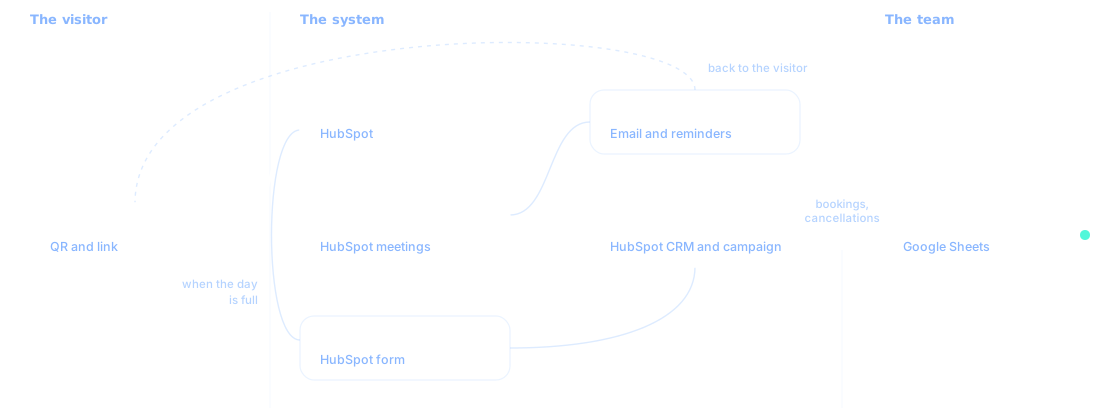
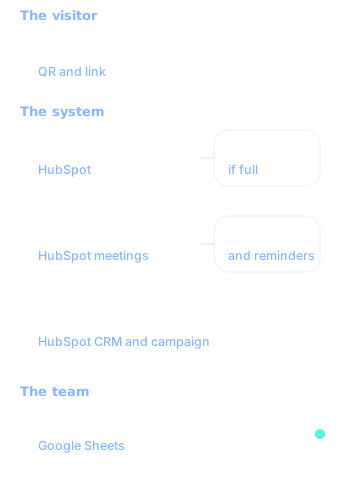
It takes a visitor from a printed code to a seat at the booth, and the firm from a booking to a follow-up, without anyone at the booth opening HubSpot.
For the visitor. They scan the code or follow the link and land on one page: what the consultation is, who they will meet, where the booth is, and the open times. They pick a slot and get a confirmation and reminders that name the booth and give the time in the show's time zone. If the day is full, the same page offers the waitlist instead.
For the team at the booth. Everything they need lives in one shared sheet: the run of show for the day, who is booked, what they are working on, and a column for notes and status. When someone cancels, the sheet shows it, the team hears about it if the slot stays open, and they can offer it to the next person on the waitlist.
For the firm. Every booking becomes a contact in HubSpot, tied to the show's campaign and its source, and every waitlist sign-up is a contact too, gets a confirmation and lands on the team's sheet, so the follow-up after the show starts from a clean list rather than a stack of business cards.
How it fit a work stream
One work stream
The priority, in one sentence: the booth books itself, and every booking is a lead.
- One result, not seven projects. The page, the calendar, the emails, the sheet and the automation between them were all parts of that one result.
- When it shipped, the next priority started. The stream moved straight on to the next priority on the roadmap.
- Priced by streams, never by hours. Managed Growth Services is priced by how many streams move at once.
What changed
The first show is in November 2026, so there are no booking numbers yet, and we are not going to guess them. What is already true:
- The page went live before the materials went to print, so the printed code was final from day one.
- A full test run passed end to end: booking, confirmation, the lead record, the sheet row and the cancellation alert.
- The team's job on show day is one sheet, which was the condition for them using it at all.
- It is built to be run again. The next show changes the dates, the booth and the partner's logo, not the build.
We will update this spotlight with real numbers after the show.
When this is the wrong fit
If you do not have a hard limit on slots, do not need a waitlist, and your people are happy to work from their own calendars, a plain meeting link from HubSpot does the job, and we would tell you to use it. This system earns its keep when capacity is scarce, the day is fixed, and every conversation should end up as a lead.
Questions buyers ask
Do our people have to use HubSpot?
No. The system runs on HubSpot, but the people running the day work from one shared sheet that HubSpot keeps current: who is booked, what they are working on, and a column for notes and status. HubSpot holds the lead records in the background for whoever owns the follow-up.
Can this be reused for the next event?
Yes, that is how it was built. The next event changes the dates, the location details and the branding, not the build. Each new event still gets a setup pass and a full test before anything goes to print.
What happens when the day fills up?
The calendar stops offering times on its own, and we switch the page to a waitlist, so the printed code still leads somewhere useful. Everyone who joins is a contact in HubSpot. When a booking is cancelled, the sheet shows it and the team is alerted if the slot stays open, so they can offer it to someone on the waitlist.
Next step card (printed by the theme, not pasted; 2026-10-20): eyebrow "Next step", heading "Have a version of this problem?", body "Tell us what your team is working around today, and we will show you what the system could look like.", button "Book a consultation" (/contact). The theme also prints the work-stream card's link, "How work streams run in Managed Growth Services", to /services/managed-growth-services#work-streams.